01
Process audit
We find the workflows worth automating first.
We map where your team's hours go, then automate the steps that don't need a person (routing, data entry, follow-ups and reporting) with AI handling the judgement calls.
We map where your team's hours go.
We pick the workflows worth automating first.
Automations connect your tools, with AI where judgement is needed.
We run them on real data before anything goes live.
Every run is logged, with alerts when something fails.
We find the workflows worth automating first.
Lead routing, enrichment, follow-ups and pipeline hygiene.
Classify, prioritise and draft replies automatically.
Invoices, forms and contracts read and entered for you.
Scheduled reports and alerts pulled from all your tools.
Zapier, Make, n8n or custom code, whatever fits your stack.
New leads enriched, scored and assigned to the right rep in seconds.
Invoices read, matched to purchase orders and pushed to accounting.
Accounts, documents and welcome emails created the moment an offer is signed.
| Capability | Manual process | Simple trigger rules | AI workflow |
|---|---|---|---|
| Reads emails, PDFs and forms | Yes | No | Yes |
| Runs around the clock | No | Yes | Yes |
| Handles exceptions | Yes | No | Yes, within rules you set |
| Logs every step | Rarely | Partly | Yes |
| Scales with volume | No | Yes | Yes |
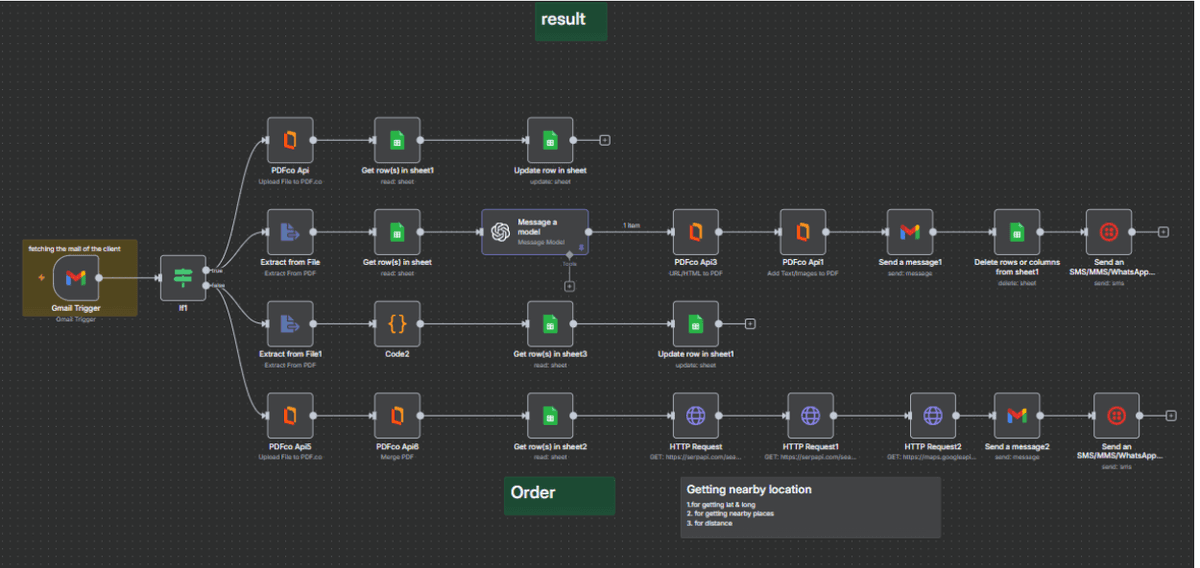 n8n workflow
Reads client emails and PDFs, drafts results with an AI model and notifies clients by email and SMS.
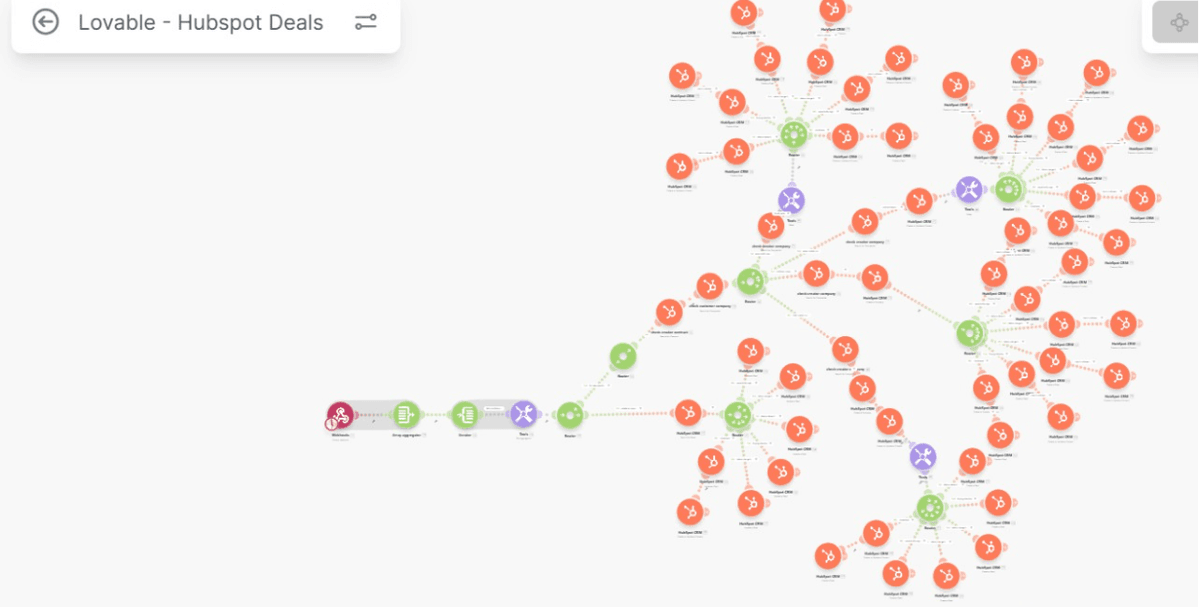 Make scenario
Routes webhook data through branching logic to create companies, contacts and deals in HubSpot.
Runs candidate pre-screening calls and writes the summary into the hiring workflow.
A short workshop to pick the use case, define what success looks like and check your data.
A working demo on your real data within weeks, so you can see it before you commit.
A production build connected to your tools, with guardrails, tests and monitoring.
We go live, track quality and cost, and keep tuning as usage grows.